
Table of Contents
What Is a DNS Server?
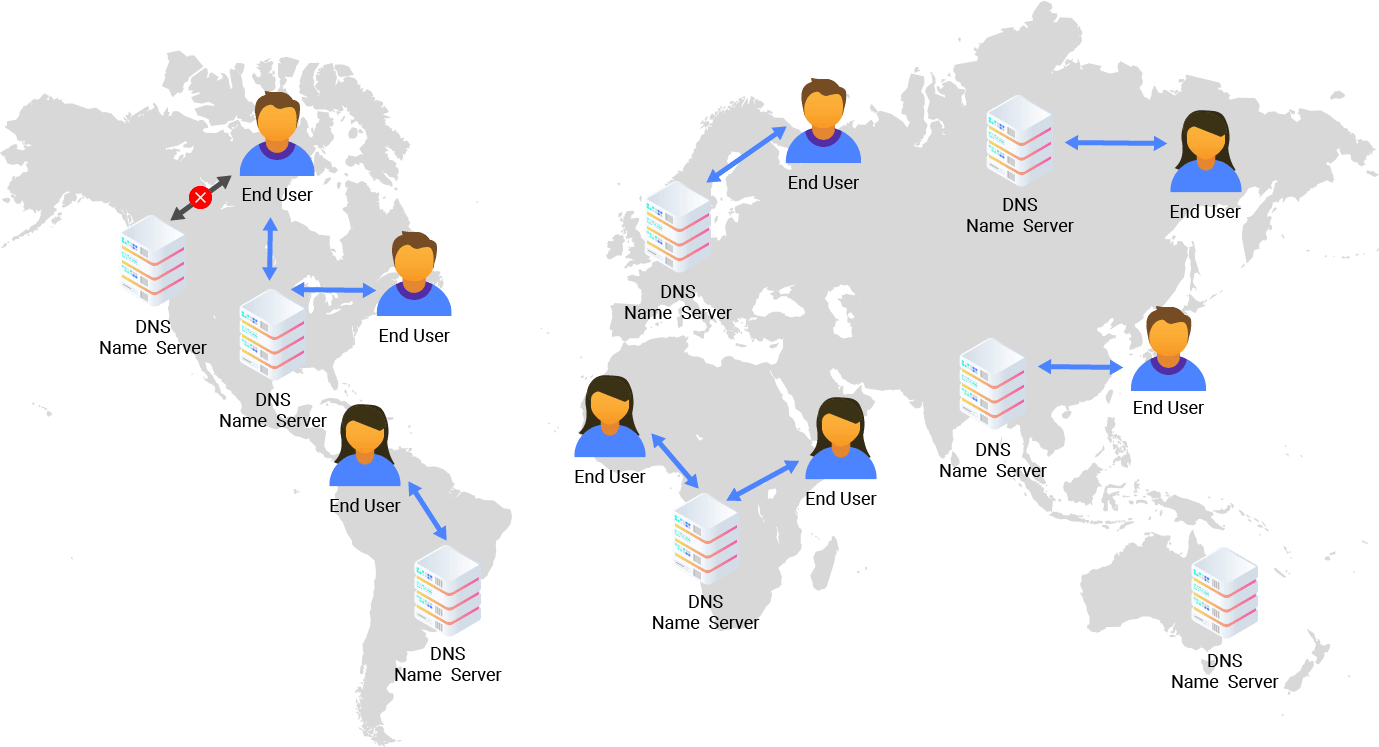
The Domain Name System (DNS) Server is a specialized server that maps website hostnames, such as example.com, into their corresponding IP (Internet Protocol) addresses. It maintains a database that links public IP addresses with the domain names associated with them.
Every device connected to the internet has a unique IP address, as defined by the IPv4 or IPV6 protocols, and the web servers hosting websites follow the same system.
By performing this translation, DNS servers eliminate the need for users to memorize long strings of numbers. When you enter a web address into your browser, the DNS server automatically matches it with the correct IP address, allowing your browser to load the intended webpage seamlessly.
How Do DNS Servers Work?
When you enter a domain into your browser, your device relies on DNS resolution to translate the domain name into the numeric IP address needed to reach the correct web server.
The DNS server first checks its cache and returns the IP address if it is already stored. If the information is not available, it then sends a query to a root server to start locating the address. The root server points it to the appropriate top-level domain server, and the DNS server next contacts that server to narrow down the search. After that, it reaches the authoritative server, which holds the exact IP address for the requested domain.
Once the correct address is found, the DNS server finally returns the result to your device so the website can load properly.
Although this sequence involves several steps, the entire process happens almost instantly because DNS servers rely on caching to speed up future lookups.
To better understand how this resolution unfolds between different DNS servers, it’s helpful to look at the three main types of DNS queries: recursive, iterative, and non-recursive.
1. Recursive query: A DNS server responds with the requested resource record. If none is found, the DNS client receives an error message.
2. Iterative query: The DNS client keeps querying servers until it gets a valid answer or times out, following referrals to lower-level authoritative servers whenever one server cannot resolve the query.
3. Non-recursive query: A non-recursive query is resolved directly by the DNS server when it already has the needed resource, either because it is authoritative for it or has it cached.
DNS Lookup vs. DNS Resolver
A DNS lookup is the action of retrieving the DNS record for a domain name. It’s the query itself, the process of asking ‘’What is the IP address for this hostname?’’
A DNS resolver, on the other hand, is the component or service that performs this lookup on behalf of the client. The resolver manages the entire request from receiving queries, finding the needed DNS data, to returning the result.
In short, the DNS lookup is the task or process, while the resolver is the entity that initiates and handles that task from start to finish.
What Is DNS Caching?
DNS caching refers to temporarily storing DNS records closer to the client, so queries can be resolved more quickly. It reduces the load on upstream DNS servers, shortens response time, and improves overall performance. Each cached record has a Time to Live (TTL), which determines how long the information remains valid and how up to date it is with recent IP changes.
DNS caching can be done at the browser level or at the operating system (OS) level.
Browser DNS Caching
Since web browsers store DNS records for a period, they are usually checked first when a user makes a DNS request. Being on the browser, there are fewer steps involved in checking the DNS cache and making the DNS request an IP address.
Operating System (OS) Level DNS Caching
Once a DNS query leaves an end-user’s machine, the next stop where a match is sought is at the operating system level. A process inside the operating system, called the “stub resolver”, checks its own DNS cache to see if it has the record. If not, the query is sent outside the local network to the Internet Service Provider (ISP).
The Different Types of DNS Servers
Once a DNS query is entered, it passes through a few different data center servers before resolution, without any end user interaction.
1. Recursive DNS Server
Recursive DNS Server is a server designed specifically to receive queries from client machines. It tracks the DNS record and makes additional requests to meet the DNS queries from the client. The number of requests can be decreased with DNS caching when the requested resources are returned to the recursor early in the lookup process.
2. Root Name Server
The root name server is the first step in the DNS hierarchy. It responds to the recursive resolver by directing it to the correct TLD server based on the domain extension (such as .com or .org).
3. TLD Name Server
The TLD name server is responsible for maintaining information about domain names, including generic top-level domains such as “.com” or “.org” or country-level domains like “www.example.com.uk”, “www.example.com.us” and others. The TLD name server will take the query from the root server and point it to the authoritative name server associated with the query’s particular domain.
4. Authoritative Name Server
In the final step, the authoritative name server returns the IP address to the DNS resolver, which then relays it back to the client. This server sits at the bottom of the lookup chain and holds the actual DNS records, making it the ultimate source of truth in the process.
Recursive vs. Authoritative DNS Servers
Recursive DNS servers search for DNS information on behalf of the client, while authoritative DNS servers store the actual DNS records for a domain. During a DNS lookup, the recursive server may contact root, TLD, and authoritative servers until it receives the correct IP address.
DNS Servers in the Cloud Era
Cloud adoption is reshaping DNS architecture. Traditional DNS servers still work, but they struggle to handle global scale, sudden traffic surges, and increasingly distributed traffic patterns. According to Gartner, traditional DNS lacks the flexibility needed for modern workloads on edge and multi-region cloud environments.
Why Cloud DNS?
- High Resiliency and Global Performance
Cloud DNS runs on redundant, geographically diverse networks that reduce latency and avoid single points of failure. Anycast routing directs queries to the nearest node, delivering faster and more stable DNS resolution.
- Simplified DNSSEC Support
Domain Name System Security Extensions (DNSSEC) protects DNS records using cryptographic authentication. Configuring and maintaining DNSSEC can be complex for in-house servers. Cloud DNS providers often simplify DNSSEC setup and automate key rotation, which reduces the risk of misconfiguration and strengthens the security for authoritative DNS servers.
- Advanced Traffic Routing
Cloud DNS platforms provide routing features such as failover, latency-based routing, and geo-routing, which boost both availability and user experience. Implementing these capabilities on-premises would require multiple global sites and complex load balancing, making cloud solutions far simpler and more efficient.
Cloud DNS vs. Traditional DNS Servers
Modern workloads need speed, resilience, and global reach. Traditional DNS server struggles with latency and manual scaling, while Cloud DNS server offers distributed performance and automated reliability.
The table below highlights the key differences between Cloud DNS and traditional DNS servers:
| Cloud DNS vs. Traditional DNS Servers | ||
|---|---|---|
| Dimension | Cloud DNS | Traditional DNS Servers |
| Architecture | Distributed Anycast network serving users from the nearest node. | Centralized hierarchy; queries travel multiple layers. |
| Performance | Consistently low RTT with real-time routing and global edge presence. | Higher latency due to recursive path and propagation delays. |
| Scalability | Automatic scaling; instant global propagation. | Manual tuning; slow updates; TTL-dependent. |
| Reliability | Built-in geo-redundancy with seamless failover. | Failover often manual; regional outages cause disruption. |
| Security | DNSSEC + encrypted DNS + edge-level attack mitigation. | Susceptible to spoofing, cache poisoning, and amplification attacks. |
CDNetworks Cloud DNS+
In the cloud era, global applications depend on fast, reliable, and secure DNS performance. CDNetworks Cloud DNS+ is designed to meet these demands through a managed, cloud-based authoritative DNS service built for high availability, scalability, and consistent performance worldwide.
With simple UI/API management and support for modern standards like IPv6, Cloud DNS+ provides a strong DNS foundation for applications operating across regions.
CDNetworks DNS+
DNS Server FAQs
What Is DNS?
DNS refers to the foundational system that translates human-readable domain names into machine-readable IP addresses. Without DNS, users would need to memorize long numerical addresses for every website. As the “phonebook of the internet,” DNS allows browsers and applications to locate the correct servers quickly, ensuring that content loads reliably and efficiently.
What Is a DNS Server Used For?
A DNS server stores and serves DNS records so that devices can resolve domain names into IPv4 or IPv6 addresses. Its main purpose is to ensure that when a user enters a domain, the corresponding IP address is returned instantly and accurately. DNS servers keep the internet usable by enabling fast lookups, supporting global content distribution, and helping applications maintain stable connections across regions.
How Can I Find My DNS Server?
You can locate your DNS server through your computer, router, or online testing tools. On Windows, Command Prompt and the ipconfig /all command will list the DNS servers in use. On macOS, network settings display DNS entries under the Advanced → DNS tab. Online DNS check services, including public DNS servers, can also identify your server’s IP, hostname, and geolocation, giving you quick insight into your current configuration.
What Are the Benefits of a DNS Server?
DNS servers offer several advantages: they make websites accessible through readable names, improve routing efficiency, and help maintain secure connections. Modern DNS servers also update records automatically when IP addresses change, reducing downtime and ensuring that users always reach the right destination. Their speed and reliability contribute significantly to overall online performance.
What Should I Do If the DNS Server Isn’t Responding?
If a DNS server fails to respond, the issue may stem from connectivity problems, outdated browser settings, local cache conflicts, or temporary outages on the server side. Common fixes include switching web browsers, restarting your router, disabling your firewall briefly for testing, or flushing your DNS cache. These steps typically restore normal resolution without affecting your device or network settings.
DNS Server vs. Cloud DNS: What’s the Difference?
Traditional DNS servers rely on fixed infrastructures that may experience propagation delays, single-point bottlenecks, or regional latency. Cloud DNS, by contrast, distributes DNS resolution across global edge networks, offering faster lookups, built-in redundancy, and automatic scalability.
For organizations running modern, cloud-native applications, Cloud DNS provides more predictable performance and higher resilience under variable traffic loads.